



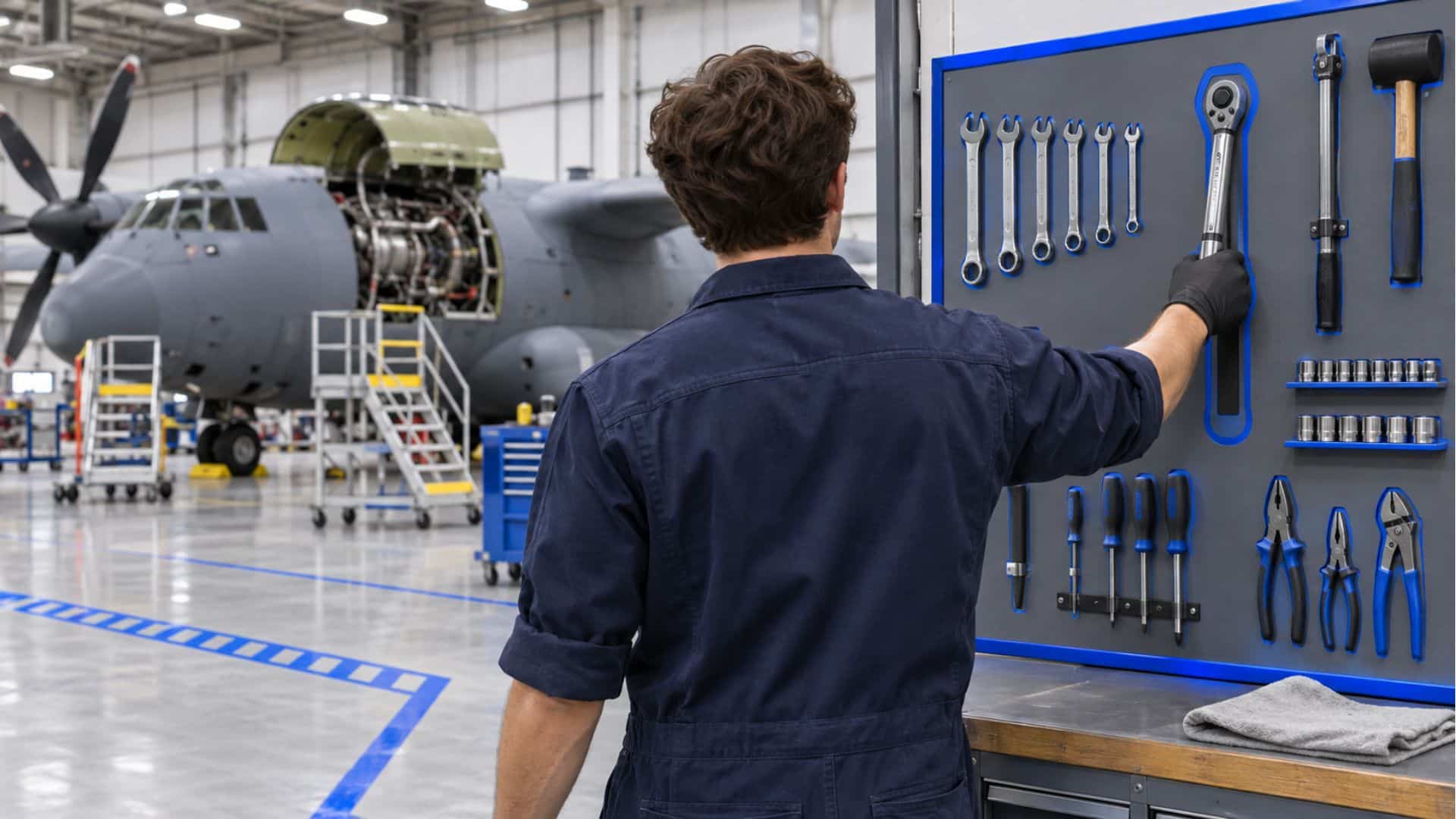
The second-shift lead counted the kit at shift change and came up one torque wrench short. The shadow board had an empty outline where it belonged. The sign-out sheet showed who drew it that morning, but nothing about where it went after that. Nobody could release the aircraft until the wrench turned up, so work stopped and three technicians started searching.
A tool control program is how aviation, space and defense organizations keep that moment rare. This guide covers what the program includes, who owns each part, and where well-run programs still lose track of tools. It ends with how real-time location data covers the hours between check-out and check-in, alongside the program your team already runs.
What a tool control program is
A tool control program is the documented set of procedures, roles and records an organization uses to account for every tool that enters a work area. Each tool gets identified, issued to a person, returned and counted before anyone signs off the job. When a tool can’t be accounted for, the program defines what happens next.
You’ll find these programs on flight lines, in depot maintenance hangars, on aircraft and missile production lines and in shipyards. The details vary by setting, but every version aims to leave no tool behind in a product, a system or a work area.
Three terms get used interchangeably, and they mean different things:
- Tool control is the set of procedures. It covers how your team marks, kits, issues and returns tools.
- Tool accountability is the proof. At any moment, can you show where each tool is and who is responsible for it?
- Tool management is the wider lifecycle. It includes buying, calibrating, repairing and retiring tools.
A tooling management system usually handles that third category, with inventory records, calibration schedules and purchasing. The tool control program sits inside it and answers a narrower daily question: did every tool come back?
Why organizations run one
Until someone finds it, a missing tool is a foreign object. A wrench left in an engine intake can destroy the engine on the next run. A socket loose in a wing bay can jam a control cable. That risk is the main reason these programs exist, and three others sit close behind it.
- Foreign object damage (FOD) prevention programs have to control everything that could end up inside a product, and tools are a large share of that list. Our post on tool accountability systems for FOD prevention covers how production floors handle it.
- Worker safety is at stake too. A tool left near rotating equipment, energized systems or ordnance puts people at risk as well as hardware.
- Lost tools cost money to replace, and before that, every hour spent searching is an hour of paid labor and an hour of downtime for the aircraft or line.
- Customers and military services write tool control into their requirements, and auditors check it.
Most teams answer to one or more of these:
- SAE AS9146 sets FOD prevention program requirements for aviation, space and defense organizations. Customers can flow it down to suppliers through contracts. The International Aerospace Quality Group (IAQG) maintains the 9146 standard, and its guidance names tool accountability and control as one of a FOD program’s core elements.
- DAFI 21-101 is the Department of the Air Force instruction for aircraft and equipment maintenance management, including how maintenance units control their tools.
- COMNAVAIRFORINST 4790.2, the Naval Aviation Maintenance Program (NAMP), includes the Tool Control Program for Navy and Marine Corps aviation.
For what each instruction requires in practice, see our guide to military tool control requirements.
The core elements every program needs
Whatever instruction it answers to, most programs are built from the same seven parts.
Identification and marking
Every tool carries a mark that ties it to a kit, a shop or an owner. Etching and engraving are common because labels wear off. When someone finds a stray tool, the mark tells them where it belongs.
Kitting and shadowing
Teams group tools into consolidated tool kits sized to the work. Shadow boards and cut foam give every tool a fixed spot, so a missing one shows up as an empty outline.
Check-out and check-in
A technician signs each kit out and signs it back in. That record shows who had the tool and when, which is where any search starts.
Inventory at shift start and end
Technicians count their kits at the start and end of each shift and when a job is complete. A tool that isn’t there at close-out stops the job.
Lost tool procedure
When a tool goes missing, the program spells out the steps. Work stops in the affected area, people search, and the supervisor reports the loss up the chain. Nobody releases the aircraft or product until the tool turns up or a documented inspection clears it.
Calibration status
Torque wrenches, gauges and other precision tools have calibration due dates. The program keeps out-of-calibration tools from reaching the floor. A tool that passes every inventory but has drifted out of calibration is still a problem for the job it touched. Our post on real-time calibration monitoring covers this in more detail.
Training and audits
People learn the program before they draw tools. Supervisors and quality teams then audit it on a schedule, catching drift such as unmarked tools in a kit or inventories signed without a real count.
Who is responsible for tool control?
Everyone who touches a tool owns a piece of the program, and the pieces differ by role.
- The program manager, often in quality or maintenance, owns the written procedure, the training and the audit schedule.
- Supervisors own shift inventories, sign off on close-outs and start the lost tool procedure.
- Every technician owns their kit: what they drew, where they used it and getting all of it back.
Contractors, visiting field service reps and inspectors need a place in that chain too. Their tools enter the same work areas, so most programs require them to inventory their own kits in and out under the same rules.
When a tool goes missing, that chain decides who stops work and who makes the call to release.
Where programs break down
A program can pass every audit and still lose hours each week to searching. The weak points tend to repeat from site to site.
Paper logs and automated toolboxes
Sign-out sheets record who took a tool. They say nothing about where it went afterward, and they depend on someone filling them in accurately and on time.
Automated toolboxes and other tool control software log each check-out electronically, which solves the handwriting problem. They still only record when a tool leaves the drawer and when it comes back.
Tools that move between work areas
A kit drawn for one aircraft gets carried to the next bay, then the parts cage. Meanwhile, the log still shows it at the first job.
Shared and loaned tools
Specialty tools pass from hand to hand during a shift. Each handoff is another chance for the record and the tool to separate.
Losses found hours later
End-of-shift inventory is the program’s main check. If a tool went missing mid-morning, the count is often where the team finds out, hours after anyone remembers seeing it. By then the tool could be in another bay, in another kit or inside a panel that someone already closed.
A program checks at fixed points, and tools go missing between them. More paperwork at those checkpoints rarely helps, because the gap sits between the checks.
Compliant doesn't mean found.
A tool control program proves a tool came back. Real-time capture shows where it is the rest of the time.
Adding real-time visibility to your tool control program
Your tool control program confirms that a tool came back. Real-time location data shows where it is the rest of the time. Thinaer adds that capture layer to the program you already run. Our guide to tool tracking in aerospace manufacturing covers the aerospace side in more detail.
The program checks at fixed points. Real-time capture covers the time between them.
See where a tool is right now
Tagged tools and kits report their location. Bluetooth Low Energy (BLE) places a tool within a room or zone, typically 3 to 10 feet. Ultra-wideband (UWB) reaches sub-foot precision where that matters, such as a crowded tool crib or close work around an open engine. Your team decides which tools and kits to tag. Many start with kits, cases and high-value specialty tools, then expand once the first area is running.
In Sonar, Thinaer’s operational visibility application, a supervisor searches for the tool and sees where it is on the facility map.
Get alerts before close-out
Time-out tracking in Sonar flags a tool that has been out longer than allowed, so a supervisor can follow up during the shift. Geofencing sends an alert when a tagged tool leaves a controlled area, such as a FOD-controlled zone or a classified bay. Both alerts reach a supervisor while the technician who had the tool is still on site and the last known location is minutes old.
Feed the systems you already run
Location history flows to the computerized maintenance management system (CMMS), manufacturing execution system (MES) or ERP your team already uses. As a result, the check-out record and the location record sit side by side, and pulling audit evidence takes less effort. You own the data and decide where it goes.
Your environment decides the mix
Hangars, shipyards, classified bays and ordnance areas each limit which radios can operate. Thinaer carries every major sensing technology and deploys the mix each space allows. That includes ordnance areas, where Thinaer is HERO ZERO certified for Hazards of Electromagnetic Radiation to Ordnance, and secure sites under DISA approval. Today, more than 150,000 Thinaer sensors cover over 12 million square feet.
What stays the same
Real-time visibility doesn’t replace the shadow board, the shift inventory or the people who run them. Technicians still mark, kit, sign out and count. When the count comes up short, though, the search starts from a location on a map.
Frequently asked questions
Is tool control training required?
Most programs require it before a technician can draw tools, and many deliver it as computer-based training with periodic refreshers. Your governing instruction or customer contract sets the specifics.
How often should tools be inventoried?
At minimum, inventory at the start and end of each shift and at job completion. Many programs also require a count before closing any panel or releasing an aircraft. Defer to your governing instruction for the exact rule, since some require additional counts when a technician changes tasks or work areas.
What is the difference between tool control and tool management?
Tool control covers daily accountability: marking, issuing, returning and counting tools. Tool management covers the full lifecycle, including purchasing, calibration, repair and retirement. For the broader picture, see our guide to tool and equipment management.
Getting started
A well-run tool control program proves every tool came back. Paired with real-time capture, it also shows where a tool is while it’s out. Talk to Thinaer about seeing where every tool is between check-out and check-in.